How to get Security Token in Salesforce.com?
Option 1:
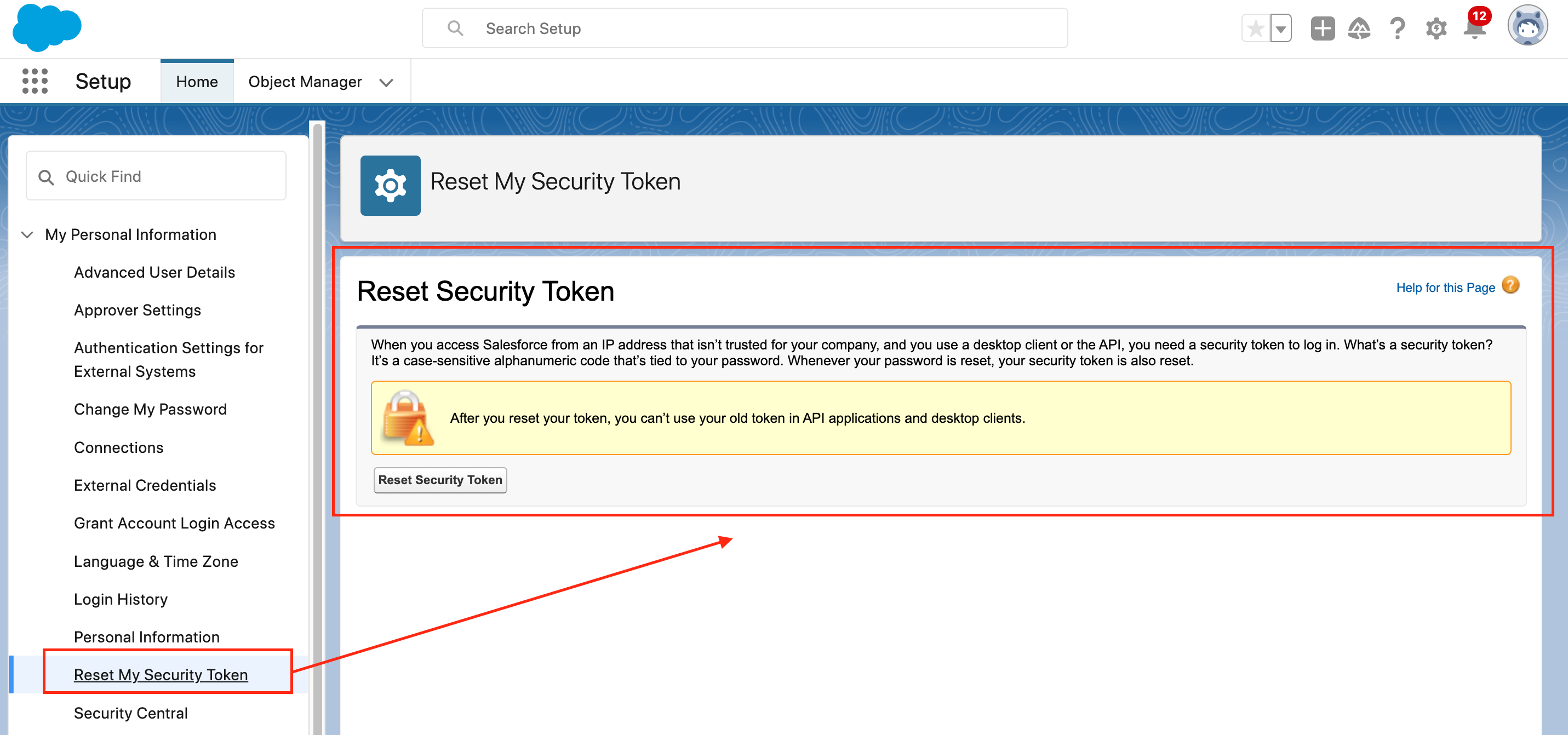
To reset your security token, follow these steps:
Go to your Personal Settings.
Search for "Reset My Security Token" on Quick Find Box
Refer to the picture below for visual guidance.
Option 2:
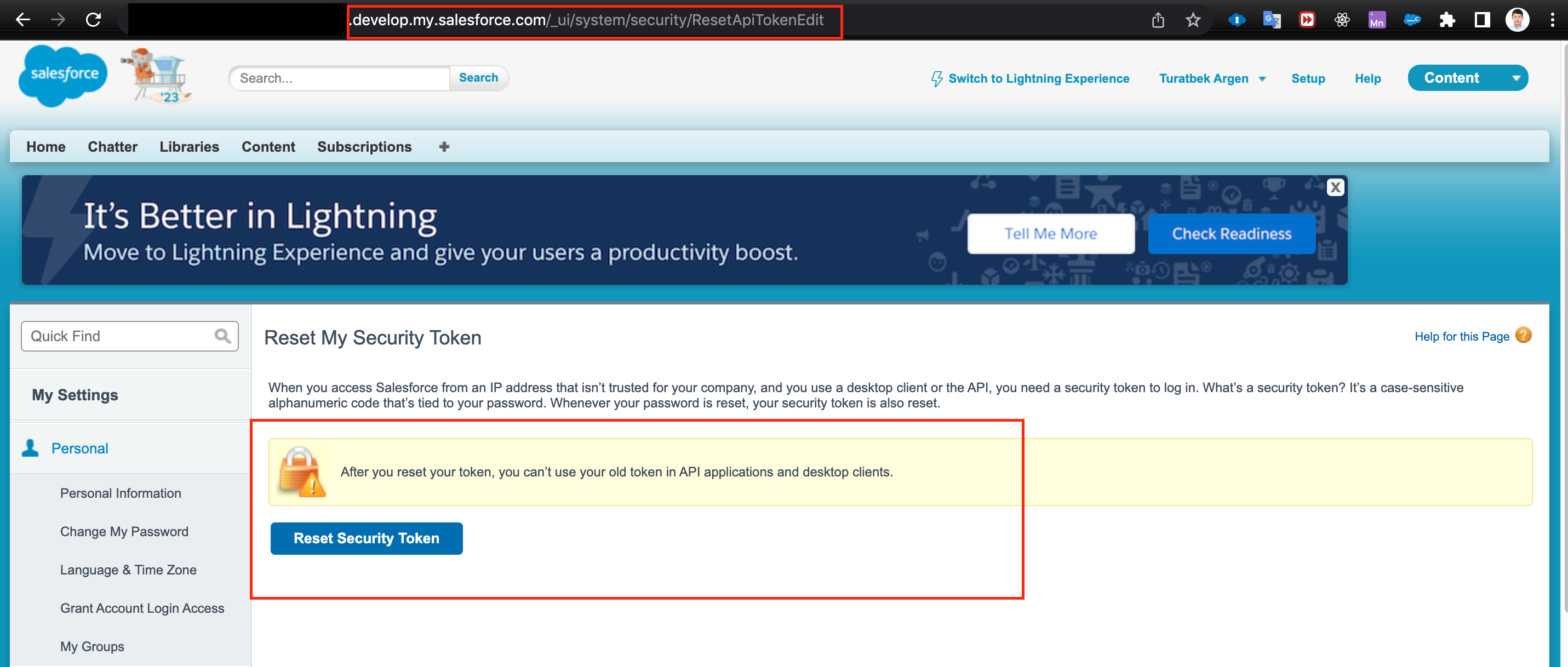
If the option 'Reset My Security Token' is not visible within 'Personal Settings,' you can try the following method.
It is possible that the reason for not seeing the option could be that you are currently accessing from an IP address that falls within the Trusted IP Ranges. In such cases, Salesforce hides that option. However, you can still access it through the provided link.
Simply add "/_ui/system/security/ResetApiTokenEdit" after the base URL (e.g., https://......force.com).
Step 1:

Step 2:
Alternatively, you can use the following URLs (depending on the type of organization):
For prod/dev orgs: https://login.salesforce.com/_ui/system/security/ResetApiTokenEdit
For sandboxes:
https://test.salesforce.com/_ui/system/security/ResetApiTokenEdit
Please note that the second method might not work if you do not have my-domain enabled or if there are other factors affecting the redirect.


![[TIL] Javascrip Dev 1 - Summer '23 Review Notes](/_next/image?url=https%3A%2F%2Fcdn.hashnode.com%2Fres%2Fhashnode%2Fimage%2Fstock%2Funsplash%2Fg5jpH62pwes%2Fupload%2Ff6e5ea3bf48125018578ac2d51a1852f.jpeg&w=3840&q=75)